
How to Export Unlimited GSC Data with Advanced GSC Visualizer
Bypass the 1,000-row limit. Learn to fetch, filter, and export your complete Google Search Console dataset using the Search Analytics API tool.
The standard Google Search Console interface limits reports to 1,000 rows of data. To access your complete dataset—often containing tens of thousands of keywords and pages—you typically need to write scripts for the GSC API.
The Advanced GSC Visualizer provides a user-friendly interface for the API, allowing you to fetch, filter, and export all available data without writing a single line of code.
Prerequisites
Before proceeding, ensure you have connected the extension to your Google account.
Step 1: Open Search Analytics
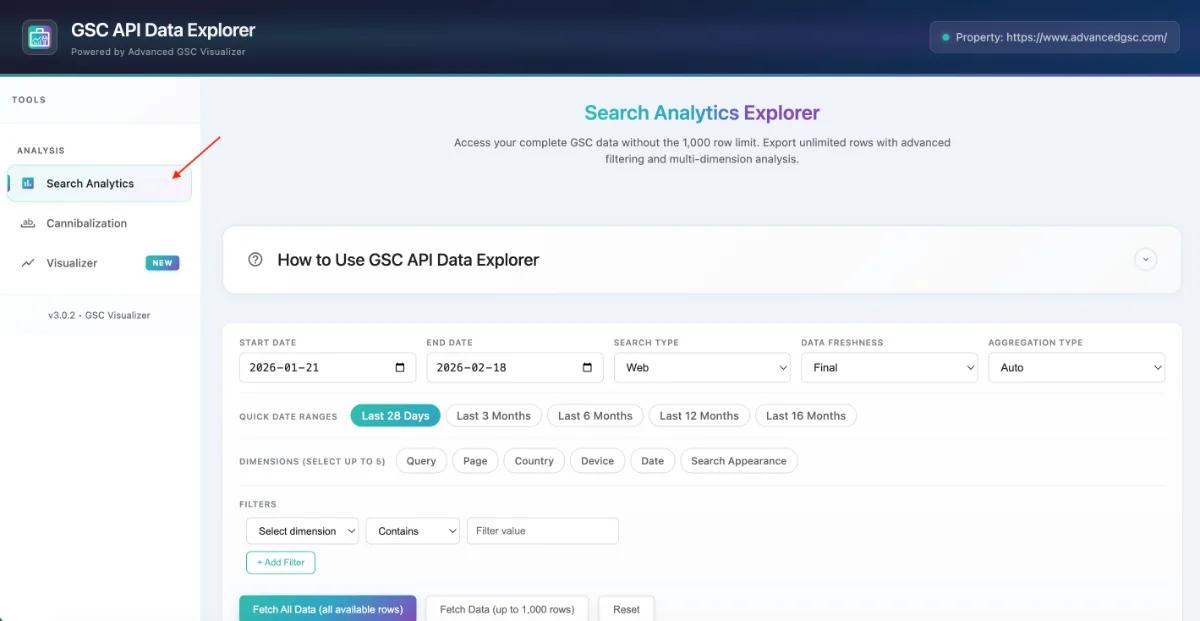
- Open the API Data Explorer from the GSC menu.
- In the new window's sidebar, click on Search Analytics.
Step 2: Configure Date & Settings
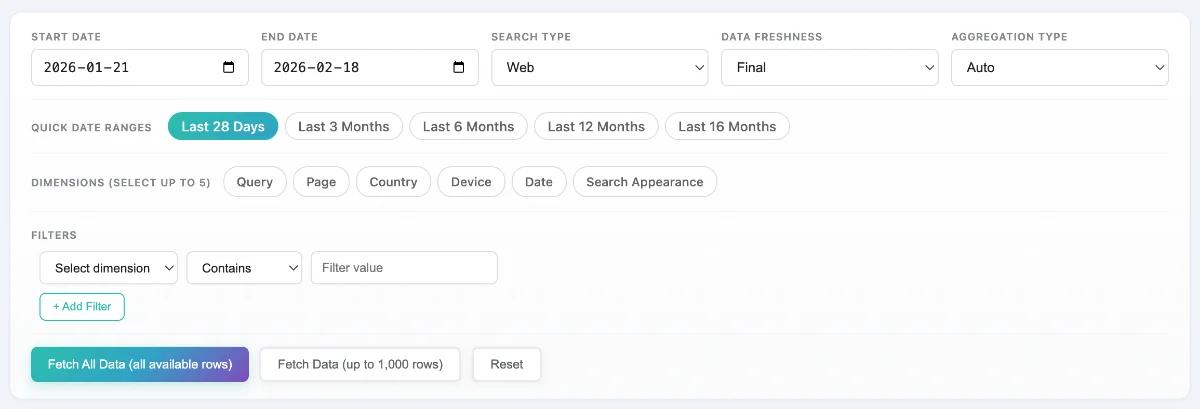
Configure the scope of your data request using the control panel:
- Date Range: Select from quick presets (Last 28 days, Last 3 months) or choose a custom range up to 16 months in the past.
- Search Type: Toggle between Web, Image, Video, or News search data.
- Data Freshness:
- Final Data: Stable, verified data (older than 2-3 days). Recommended for consistent reporting.
- All Data: Includes the most recent, preliminary data. Use for real-time monitoring.
Step 3: Select Dimensions
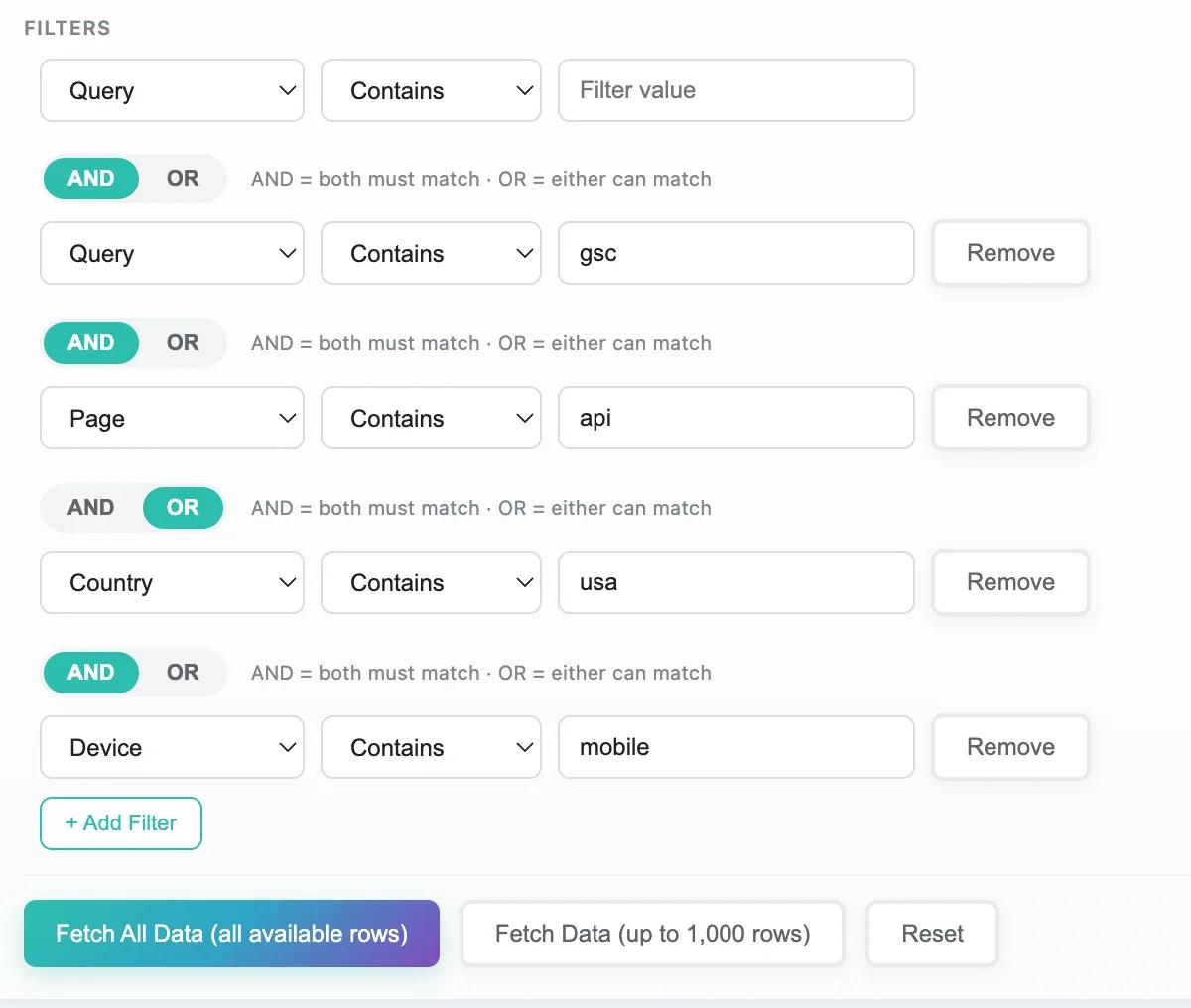
Dimensions determine how your data is grouped. You can select simultaneous dimensions for granular analysis. Additionally, you can configure complex filtering logic using AND / OR operators between items, allowing you to mix conditions (e.g., this AND that OR something else) for precise data targeting:
- Query: The actual search terms used.
- Page: The URL shown in results.
- Country: Where the search originated.
- Device: Desktop, Mobile, or Tablet.
- Search Appearance: Rich results, product snippets, etc.
- Date: Daily performance breakdowns.
Step 4: Apply Pre-Fetch Filters
To narrow down your dataset before downloading it, use the specific filter operators:
- Match Types:
Equals,Contains,Not Equals,Does Not Contain. - Targets: Filter by Query, Page, Country, or Device.
Example: You can filter for Queries that contain "how to" to isolate informational intent.
Step 5: Fetch Data (Bypass Limits)
You have two options for retrieving data:
- Fetch 1000 Rows: A quick sample to verify your filters and dimensions.
- Fetch All Data: This bypasses the API limit. The tool will iterate through the API to retrieve every single row available for your criteria.
- Note: The progress bar will indicate the status of large datasets.
Step 6: Advanced Analysis & Filtering
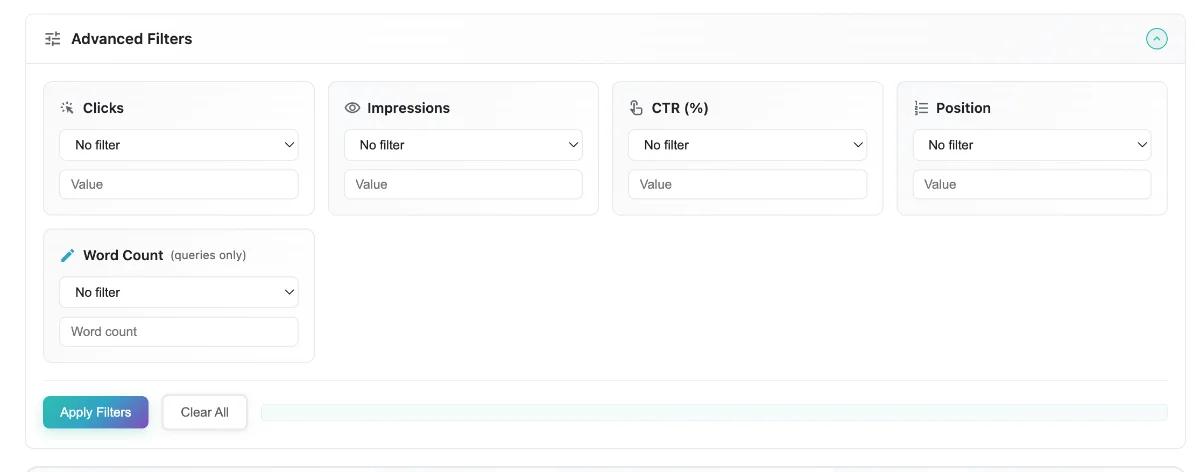
Once the data is loaded into the table, you can use the Advanced Filters to analyze the dataset in memory:
- Metric Filtering: Filter rows by minimum/maximum Clicks, Impressions, CTR, or Position.
- Example: Show items with
Impressions > 1000butClicks < 10to find low-CTR opportunities.
- Example: Show items with
- Word Count: A special SEO filter to find long-tail keywords (e.g., queries with
Word Count > 4). - Questions Toggle: Instantly filter the results to show only question-based queries (who, what, where, why, how).
Step 7: Export Data
You can export your processed data for external analysis:
- CSV Export: Best for Excel or Google Sheets analysis.
- JSON Export: Best for programmatic use or backups.
- Selective Export: Select specific columns or rows before exporting to keep files clean.
Practical Examples
1. Find Content Gaps (High Impressions, Low Clicks)
- Dimensions: Query, Page
- Advanced Filter:
Impressions > 1000ANDCTR < 1% - Goal: Identify pages that rank but fail to attract clicks (bad titles/meta descriptions).
2. Mobile vs. Desktop Performance
- Dimensions: Query, Device
- Date Range: Last 28 Days
- Goal: Compare CTR for the same keywords across devices to prioritize mobile optimization.
3. Long-Tail Keyword Opportunities
- Dimensions: Query
- Advanced Filter:
Word Count > 5ANDPosition < 20 - Goal: Find specific, high-intent questions you already rank for.